
Codex Desktop Setup
The OpenAI Codex desktop app can sign in with an API key and open the user-level config.toml from inside the app. The API key entered on the sign-in screen only gets you into the app; to send requests through Aiberm, you must also configure the Aiberm provider and API key in config.toml.
The sign-in field is still labeled OpenAI API key. You can enter your Aiberm API key there to enter the app, but this field does not replace the authentication configuration in config.toml.
Prerequisites
Before you begin, make sure you have:
- The latest OpenAI Codex desktop app
- An Aiberm account (Sign up)
- An Aiberm API key (Create one in Console)
Configuration
- Open the Codex desktop app.
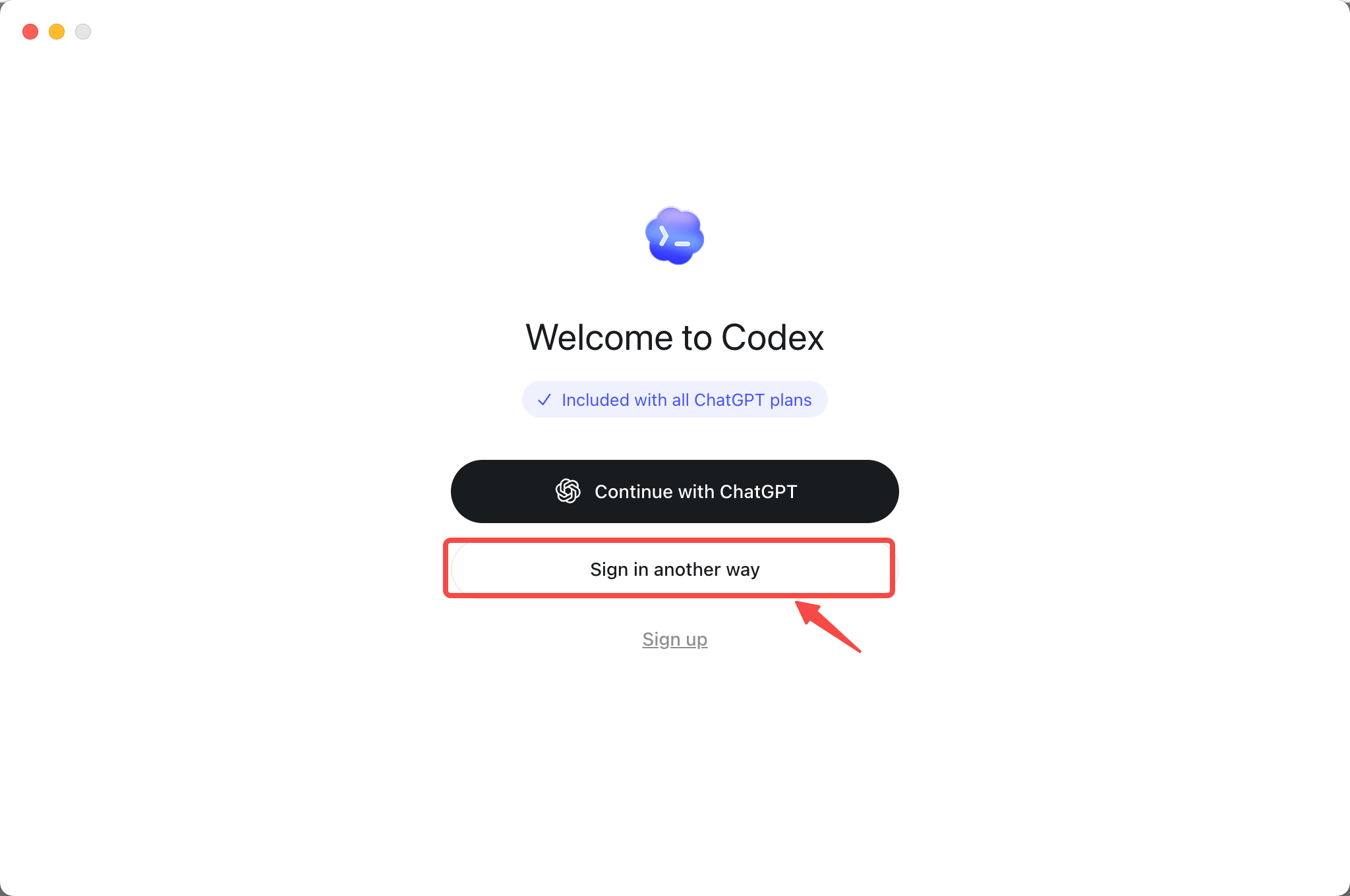
- On the sign-in screen, choose Sign in another way.
- Enter your Aiberm API key in the OpenAI API key field, then choose Continue.
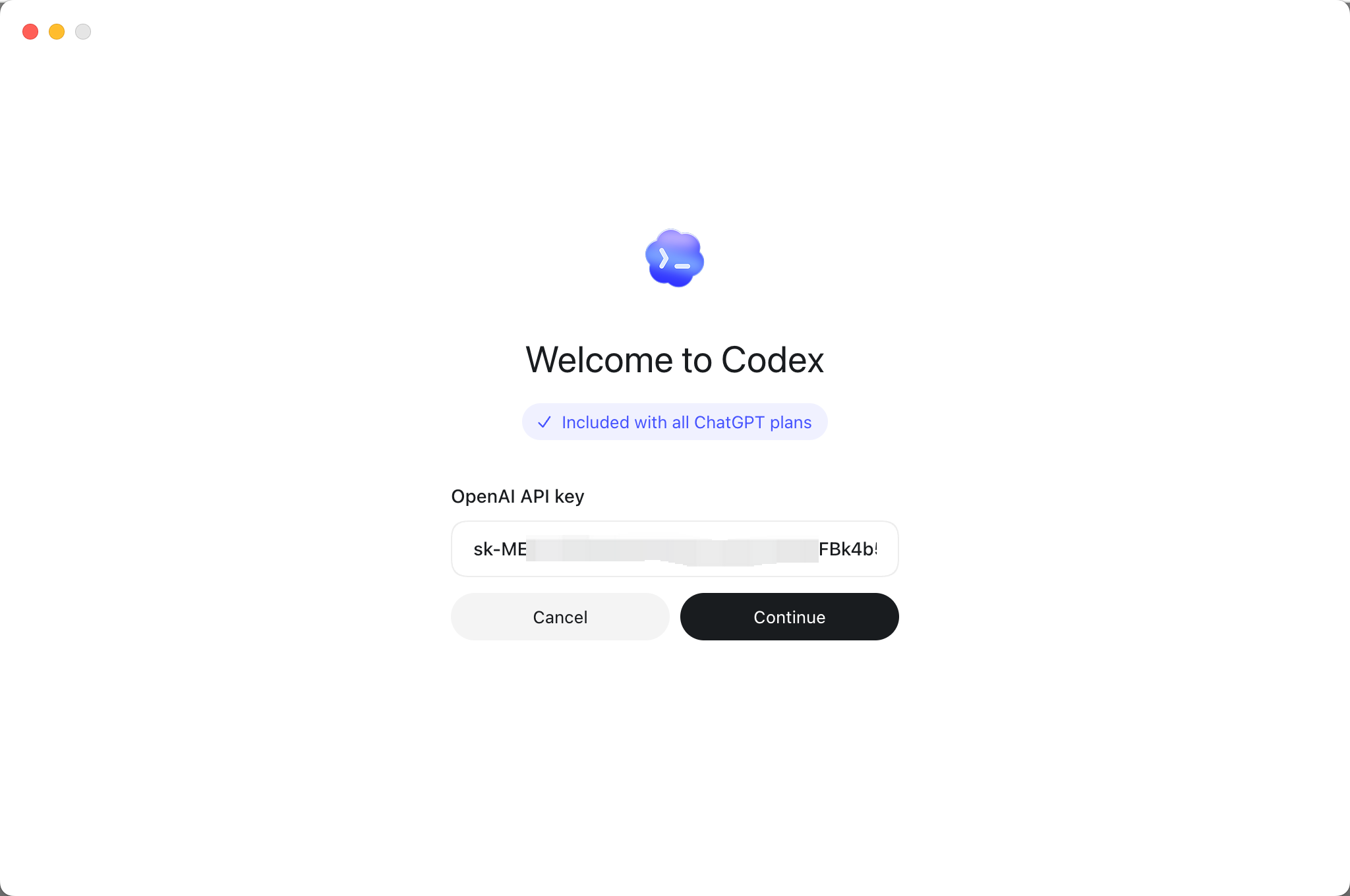
Note: this step only gets you into the Codex desktop app. It does not replace the API key configuration in
config.toml. You must complete the configuration below even if you already entered a key on the sign-in screen.
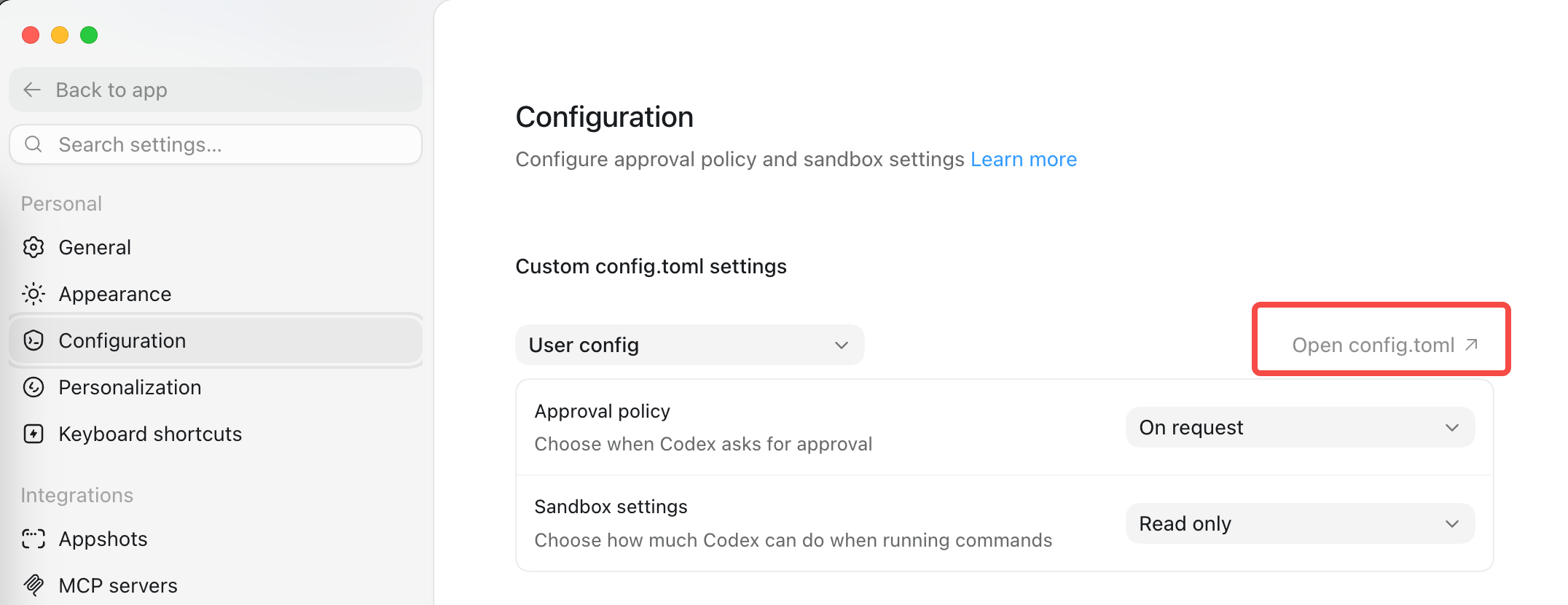
- After entering the app, open Settings.
- Select Configuration in the sidebar.
- Under Custom config.toml settings, make sure User config is selected.
- Choose Open config.toml to open the user-level config file.
- Add or replace the contents of
config.tomlwith the following configuration.
Before editing, remove any old [model_providers.aiberm] block from the file to avoid duplicate settings. TOML settings must use one line per item; do not put multiple settings on the same line.
Put the API key directly in config.toml
Put the API key directly in config.toml:
model = "gpt-5.6-sol"
model_provider = "aiberm"
model_reasoning_effort = "xhigh"

[model_providers.aiberm]
name = "Aiberm API"
base_url = "https://aiberm.com/v1"
experimental_bearer_token = "sk-your-aiberm-api-key"
wire_api = "responses"
supports_websockets = false
Writing the API key directly stores it in plain text on your computer. Make sure this file is not committed to Git or shared with anyone else.
If this is your first time configuring Codex, replace sk-your-aiberm-api-key with your real Aiberm API key and make sure the file is saved.
- Save
config.toml. - Fully quit and reopen the Codex desktop app.
Verify It Works
After reopening Codex:
- Open a project or workspace.
- Ask Codex to perform a real coding task, such as explaining the current file, editing a small piece of code, or running project tests.
If the task runs and returns a result, the configuration is working.
Troubleshooting
Invalid API Key
- Copy the full key from Aiberm Console.
- Check for extra spaces before or after the key.
- Confirm the key starts with
sk-.
Configuration Changes Do Not Apply
- Confirm you edited the
config.tomlopened from User config. - Fully quit and reopen the Codex desktop app after saving the file.
- Confirm
model_provider = "aiberm"matches[model_providers.aiberm]. - Confirm
experimental_bearer_tokenwas replaced with your real Aiberm API key and the placeholdersk-your-aiberm-api-keywas not saved unchanged.
TOML Format Errors
- Put each setting on its own line. For example,
wire_apiandsupports_websocketsmust not share one line. - Use straight double quotes for string values, such as
model = "gpt-5.6-sol". - Set
base_urldirectly tohttps://aiberm.com/v1; do not use Markdown link syntax or add extra brackets.
Model or Connection Errors
- Confirm the
base_urlis exactlyhttps://aiberm.com/v1. - Confirm
wire_apiisresponses. - Confirm your account can access
gpt-5.6-sol. For the current list, see Models List.